
Hardware Specifications
| Vendor/Brand | CIG |
| Model | G-97CP |
| ODM | ✅ |
| Chipset | Realtek RTL9601D |
| Flash | |
| RAM | |
| System | Linux (Luna SDK 1.9.0) |
| 2.5GbaseT | Yes |
| Optics | SC/APC |
| IP address | 192.168.100.1 |
| Web Gui | |
| SSH | ✅ user root, password same as enable password |
| Telnet | |
| Serial | ✅ |
| Form Factor | ONT |
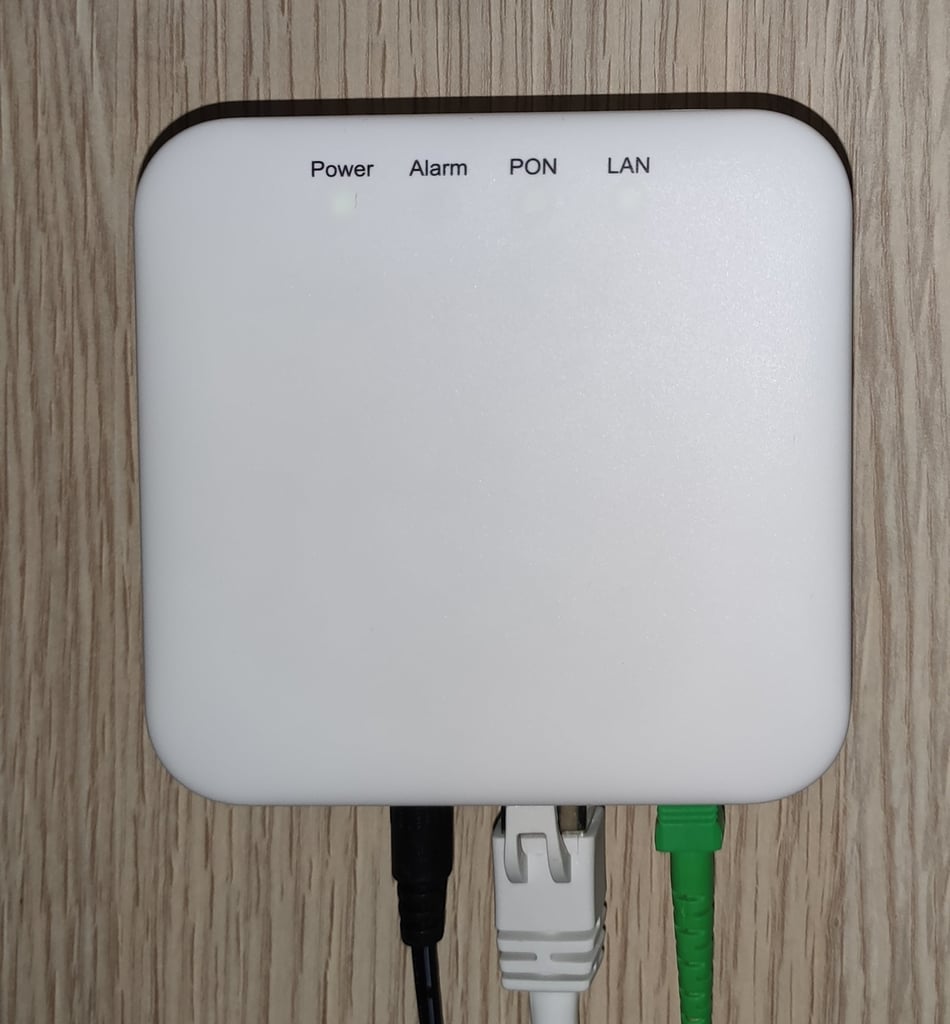
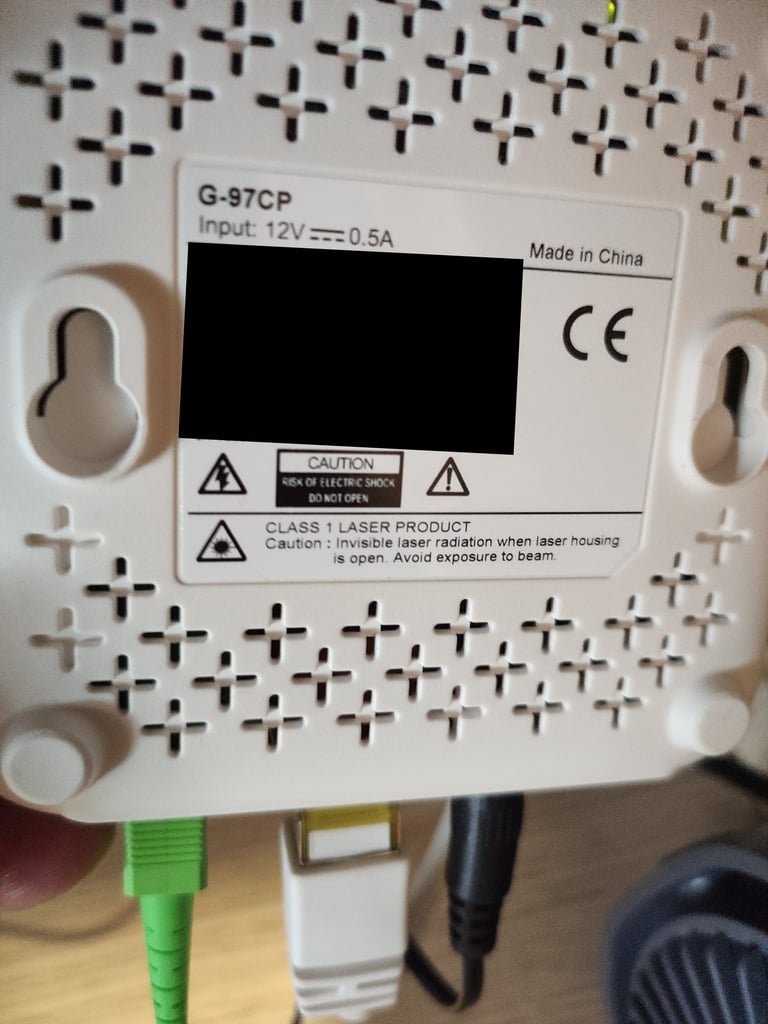
Usage
Login and enable
Note
The following enable password is used to enter GponCLI via serial connection in in firmware where it is not disabled.
Once you're logged in, a custom menu will be shown and you'll be able to access the linux shell by first typing system followed by shell:
sh
ONT>enable
#ONT>login
User name:ont
Password: ****
The enable password can be generated using the following form:
Accessing Full Shell
To access a complete linux shell just type:
sh
#ONT>system
#ONT/system>shell
To exit the shell and reach the parent menu type exit or x, in each menu the help command will show how to use the shell
GPON ONU status
Getting the operational status of the ONU
sh
#ONT>traffic
#ONT/system>pon
#ONT/system/pon>show link

 ----------------- LINK STATE -----------------
 Link State:              ACTIVE
 Operation State Machine: OPERATION (O5)
 ----------------- STATE  END -----------------
Querying a particular OMCI ME
sh
#ONT>system
#ONT/system>mib
#ONT/system/mib>show 256
Table Ontg, Ont-g, total 1 instances

EntityID                  = 0x0000
VID                       = "ALCL"
Version                   = AA BB CC DD EE FF 11 22 33 44 55 66 00 00
SerialNum                 = AA BB CC DD EE FF 11 22
TraffMgtOpt               = 0
AtmCCOpt                  = 0
BatteryBack               = 1
AdminState                = 0
OpState                   = 0
OnuSurvivalTime           = 0
Loid                      = ""
Password                  = ""
AuthState                 = 0
OntState                  = 1
GPON/OMCI settings
Committing changes to the OMCI MIB tables for GPON operation
sh
#ONT>system
#ONT/system>mib
#ONT/system/mib>reset
Getting/Setting ONU GPON Serial Number
sh
#ONT>system
#ONT/system>misc
#ONT/system/misc>eqsn set "ALCL00000001"
---ATECMDRESULT--- OK
#ONT/system/misc>eqsn get
eqsn: ALCL00000001
---ATECMDRESULT--- OK
Getting/Setting PLOAM
sh
#ONT>system
#ONT/system>misc
#ONT/system/misc>pon_passwd set "123456789"
---ATECMDRESULT--- OK
#ONT/system/misc>pon_passwd get
pon_passwd: 31323334353637383900
---ATECMDRESULT--- OK
#ONT/system/misc>register_id set "123456789"
---ATECMDRESULT--- OK
#ONT/system/misc>register_id get
pon_passwd: 31323334353637383900
---ATECMDRESULT--- OK
Setting OMCI software version (ME 7)
The following command must be typed into the standard linux shell:
sh
# echo SWVER=3FE49337AOCK80 > /mnt/rwdir/sys.cfgGetting/Setting OMCI hardware version (ME 256)
sh
#ONT>system
#ONT/system>misc
#ONT/system/misc>eqvid get
eqvid: 3FE45458ABAA06
hex_eqvid: 0x3346453435343538414241413036
---ATECMDRESULT--- OK
#ONT/system/misc>eqvid set "YOUR_CUSTOM_VID"
Getting/Setting OMCI vendor ID (ME 256)
sh
#ONT>system
#ONT/system>misc
#ONT/system/misc>vendor get
vendor: ALCL
---ATECMDRESULT--- OK
#ONT/system/misc>vendor set "ALCL"
---ATECMDRESULT--- OK
Getting/Setting OMCI equipment ID (ME 257)
sh
#ONT>system
#ONT/system>misc
#ONT/system/misc>eqid set "YOUR_CUSTOM_EQUID"
---ATECMDRESULT--- OK
#ONT/system/misc>eqid get
eqid: YOUR_CUSTOM_EQUID
hex_eqid: 0x594F55525F435553544F4D5F4551554944000000000000
---ATECMDRESULT--- OK
Getting/Setting MAC address
mac1 = Lower MAC ID (printed on label)
mac2 = Upper MAC ID (usually = mac1+3)
sh
#ONT>system
#ONT/system>misc
#ONT/system/misc>mac1 get
mac1: aa.bb.12.34.56.78
---ATECMDRESULT--- OK
#ONT/system/misc>mac2 get
mac2: aa.bb.12.34.56.7b
---ATECMDRESULT--- OK
#ONT/system/misc>mac1 set 12:34:56:11:22:33
---ATECMDRESULT--- OK
#ONT/system/misc>mac2 set 12:34:56:11:22:44
---ATECMDRESULT--- OK
Advanced settings
Setting management IP
sh
#ONT>system
#ONT/system>misc
#ONT/system/misc>admin_ip get
admin_ip: 192.168.100.1
---ATECMDRESULT--- OK
#ONT/system/misc>admin_ip set 192.168.1.1
#ONT/system/misc>admin_mask get
admin_mask: 255.255.255.0
---ATECMDRESULT--- OK
#ONT/system/misc>admin_mask set 255.255.255.0
(Re-)enable webinterface
sh
#ONT>system
#ONT/system>manu
#ONT/system/manu>internal_ip_en
Note
This ONT has the same internal hardware as the Nokia G-010G-T and even the same plastic shell of the ZTE F6005.