
Hardware Specifications
| Vendor/Brand | Nokia |
| Model | G-010S-Q |
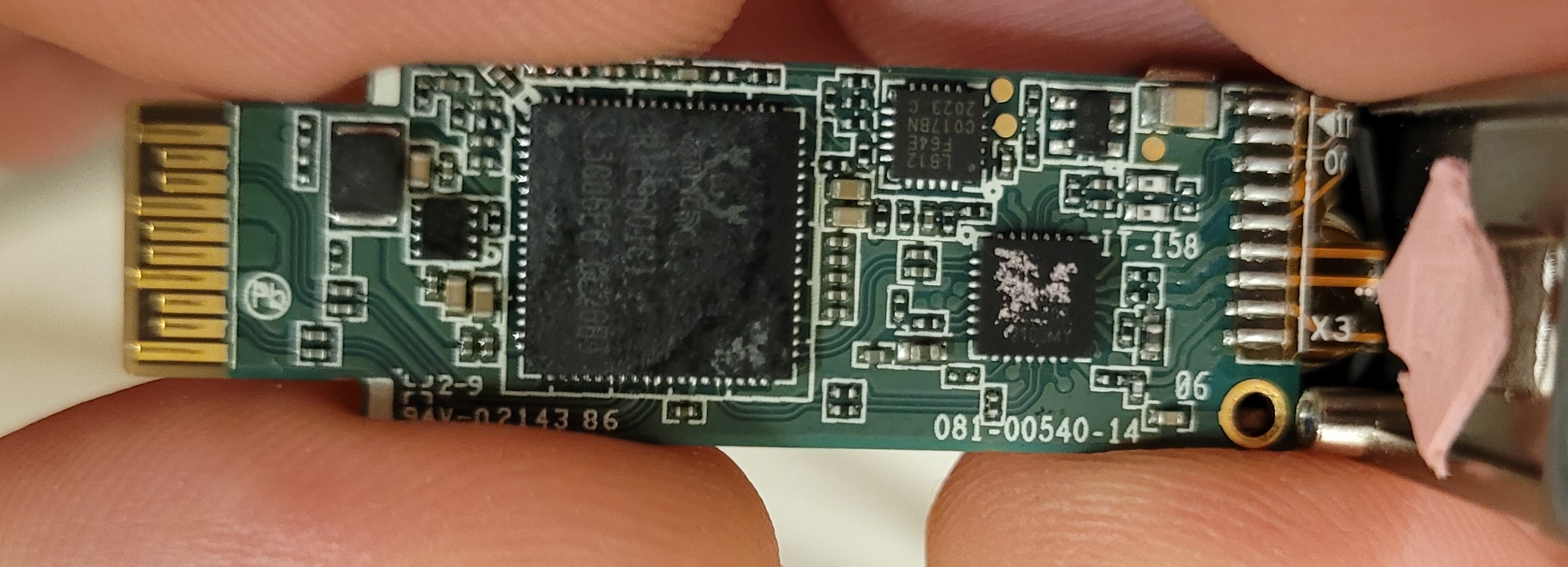
| ODM | CIG |
| ODM Product Code | G-97S |
| Chipset | RTL9601CI |
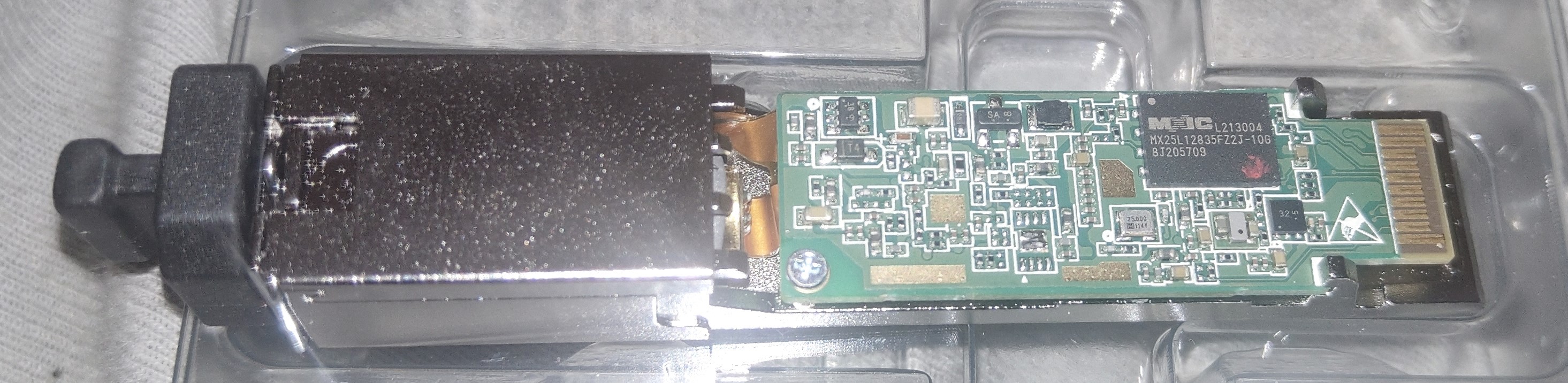
| Flash | 16 MB (Macronix MX25L12835F) |
| RAM | |
| System | |
| HSGMII | |
| Optics | |
| IP address | 192.168.100.1 |
| Web Gui | ✅ Port 80 (⚠️ only available when the PON connection IS NOT estabilished), user admin, password 1234 |
| Telnet | ✅ user admin, password 1234, but has access to GponSLID and not GponCLI |
| SSH | |
| Telnet | |
| Serial | |
| Form Factor | miniONT SFP |
GPON ONU status
Getting the operational status of the ONU
sh
#ONT>traffic
#ONT/system>pon
#ONT/system/pon>show link

 ----------------- LINK STATE -----------------
 Link State:              ACTIVE
 Operation State Machine: OPERATION (O5)
 ----------------- STATE  END -----------------
Querying a particular OMCI ME
sh
#ONT>system
#ONT/system>mib
#ONT/system/mib>show 256
Table Ontg, Ont-g, total 1 instances

EntityID                  = 0x0000
VID                       = "ALCL"
Version                   = AA BB CC DD EE FF 11 22 33 44 55 66 00 00
SerialNum                 = AA BB CC DD EE FF 11 22
TraffMgtOpt               = 0
AtmCCOpt                  = 0
BatteryBack               = 1
AdminState                = 0
OpState                   = 0
OnuSurvivalTime           = 0
Loid                      = ""
Password                  = ""
AuthState                 = 0
OntState                  = 1
GPON/OMCI settings
Committing changes to the OMCI MIB tables for GPON operation
sh
#ONT>system
#ONT/system>mib
#ONT/system/mib>reset
Getting/Setting ONU GPON Serial Number
sh
#ONT>system
#ONT/system>misc
#ONT/system/misc>eqsn set "ALCL00000001"
---ATECMDRESULT--- OK
#ONT/system/misc>eqsn get
eqsn: ALCL00000001
---ATECMDRESULT--- OK
Getting/Setting PLOAM
sh
#ONT>system
#ONT/system>misc
#ONT/system/misc>pon_passwd set "123456789"
---ATECMDRESULT--- OK
#ONT/system/misc>pon_passwd get
pon_passwd: 31323334353637383900
---ATECMDRESULT--- OK
#ONT/system/misc>register_id set "123456789"
---ATECMDRESULT--- OK
#ONT/system/misc>register_id get
pon_passwd: 31323334353637383900
---ATECMDRESULT--- OK
Setting OMCI software version (ME 7)
The following command must be typed into the standard linux shell:
sh
# echo SWVER=3FE49337AOCK80 > /mnt/rwdir/sys.cfgGetting/Setting OMCI hardware version (ME 256)
sh
#ONT>system
#ONT/system>misc
#ONT/system/misc>eqvid get
eqvid: 3FE45458ABAA06
hex_eqvid: 0x3346453435343538414241413036
---ATECMDRESULT--- OK
#ONT/system/misc>eqvid set "YOUR_CUSTOM_VID"
Getting/Setting OMCI vendor ID (ME 256)
sh
#ONT>system
#ONT/system>misc
#ONT/system/misc>vendor get
vendor: ALCL
---ATECMDRESULT--- OK
#ONT/system/misc>vendor set "ALCL"
---ATECMDRESULT--- OK
Getting/Setting OMCI equipment ID (ME 257)
sh
#ONT>system
#ONT/system>misc
#ONT/system/misc>eqid set "YOUR_CUSTOM_EQUID"
---ATECMDRESULT--- OK
#ONT/system/misc>eqid get
eqid: YOUR_CUSTOM_EQUID
hex_eqid: 0x594F55525F435553544F4D5F4551554944000000000000
---ATECMDRESULT--- OK
Getting/Setting MAC address
mac1 = Lower MAC ID (printed on label)
mac2 = Upper MAC ID (usually = mac1+3)
sh
#ONT>system
#ONT/system>misc
#ONT/system/misc>mac1 get
mac1: aa.bb.12.34.56.78
---ATECMDRESULT--- OK
#ONT/system/misc>mac2 get
mac2: aa.bb.12.34.56.7b
---ATECMDRESULT--- OK
#ONT/system/misc>mac1 set 12:34:56:11:22:33
---ATECMDRESULT--- OK
#ONT/system/misc>mac2 set 12:34:56:11:22:44
---ATECMDRESULT--- OK
Advanced settings
Setting management IP
sh
#ONT>system
#ONT/system>misc
#ONT/system/misc>admin_ip get
admin_ip: 192.168.100.1
---ATECMDRESULT--- OK
#ONT/system/misc>admin_ip set 192.168.1.1
#ONT/system/misc>admin_mask get
admin_mask: 255.255.255.0
---ATECMDRESULT--- OK
#ONT/system/misc>admin_mask set 255.255.255.0
(Re-)enable webinterface
sh
#ONT>system
#ONT/system>manu
#ONT/system/manu>internal_ip_en
Miscellaneous Links
- Nokia G-010S-Q
- CUG G-97S DataSheet
- MIB file parser for NOKIA's GPON ONTs (helps you parsing the .mib file located in
/mnt/rwdir)